
 Open Account
Please Note: This upgrade is only for Personal Bill Pay. Businesses will only be affected if they access the service through Personal Online Banking.
Paying bills can be stressful. Paying bills online can be even more stressful.
With NexTier Bank’s upgraded Bill Pay feature, you can find, manage, and pay all your bills from one centralized location, including scheduling and sending multiple payments within the same transaction.
NEW FEATURES
The next time you log into Bill Pay, your dashboard will look a bit different. And while it might take some time to get used to the new Bill Pay platform, know that NexTier Bank is here to help navigate you through the Bill Pay process.
To start, if you previously used Bill Pay, all of your information has been saved in your new dashboard and any payments that are currently being processed or are scheduled for future payments remain unchanged. In addition, your autopay settings for eBills and recurring payments remain in place.
With this upgrade, you are able to set up, view, and pay bills from one place without the hassle of navigating various biller sites. You can also use your smart phone to view bills, sign up for eBills, and set automatic reminders for payments to avoid late or missed payments. In addition, you can see your bank account adjust in real time as you schedule a payment. If there are insufficient funds, you will be notified immediately while in Bill Pay to help eliminate overdraft concerns.
Your Payee List and the Bills List are now separate, and you will no longer have a plus/minus button displayed to the left of the payee when eBill service is active for that bill.
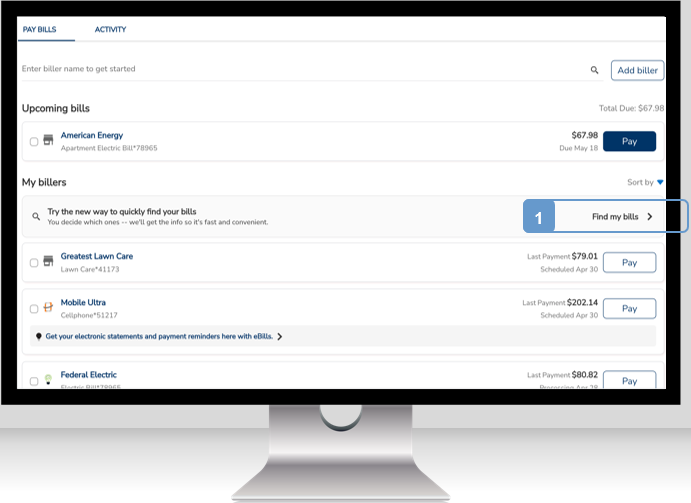
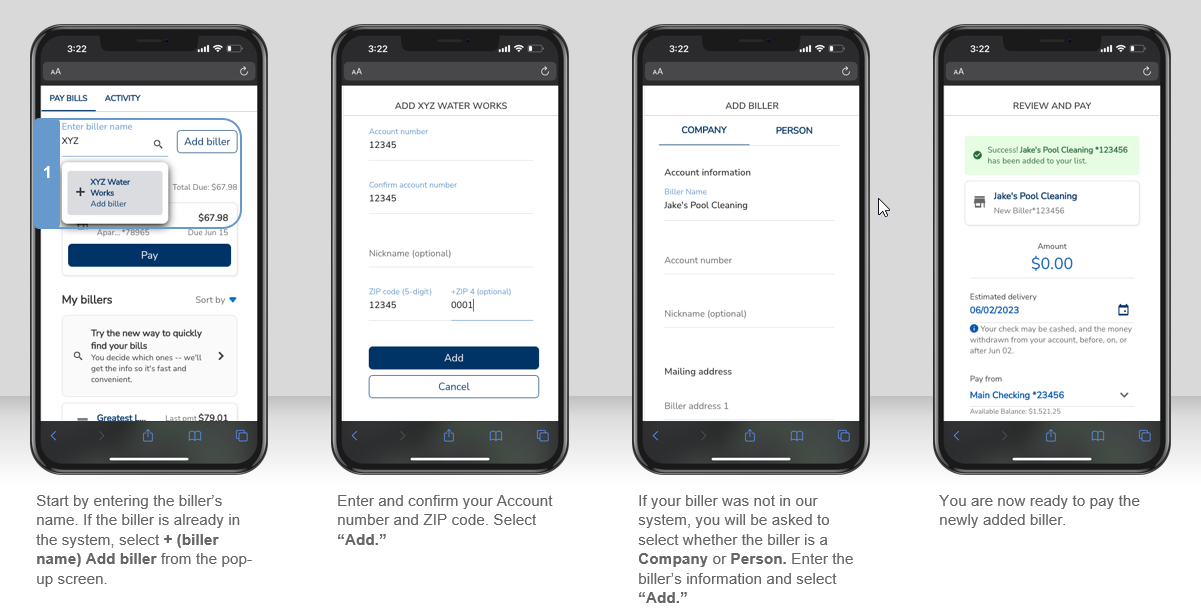
Adding a Biller is simple.
- Select Add Biller in the Pay Bills screen.
- Enter the name of the company you want to add in the Search for a Biller field.
- Select the company you wish to pay from the dropdown list and select Next to continue the add-biller process.
- Enter the account number of the bill you are paying, the company’s zip code, a nickname, and select ADD.
- Your information will be submitted for verification and upon successful completion you will find it on the Review and Pay screen.
- You can now make a payment by entering the payment details and selecting Pay or return to the Pay Bills screen by selecting Cancel.
- The newly added company biller now appears in the list of billers on the Pay Bills screen.
Once you have set up any additional billers your upcoming bills and frequently paid bills are prioritized for easier discoverability and navigation.
Please note that you can still cancel and modify electronic payments up until they are processed.
If you have any questions or need to make changes to your profiles or bank accounts, please contact NexTier Bank’s Customer Care Center at 1.800.262.1088.